


 Shopmania

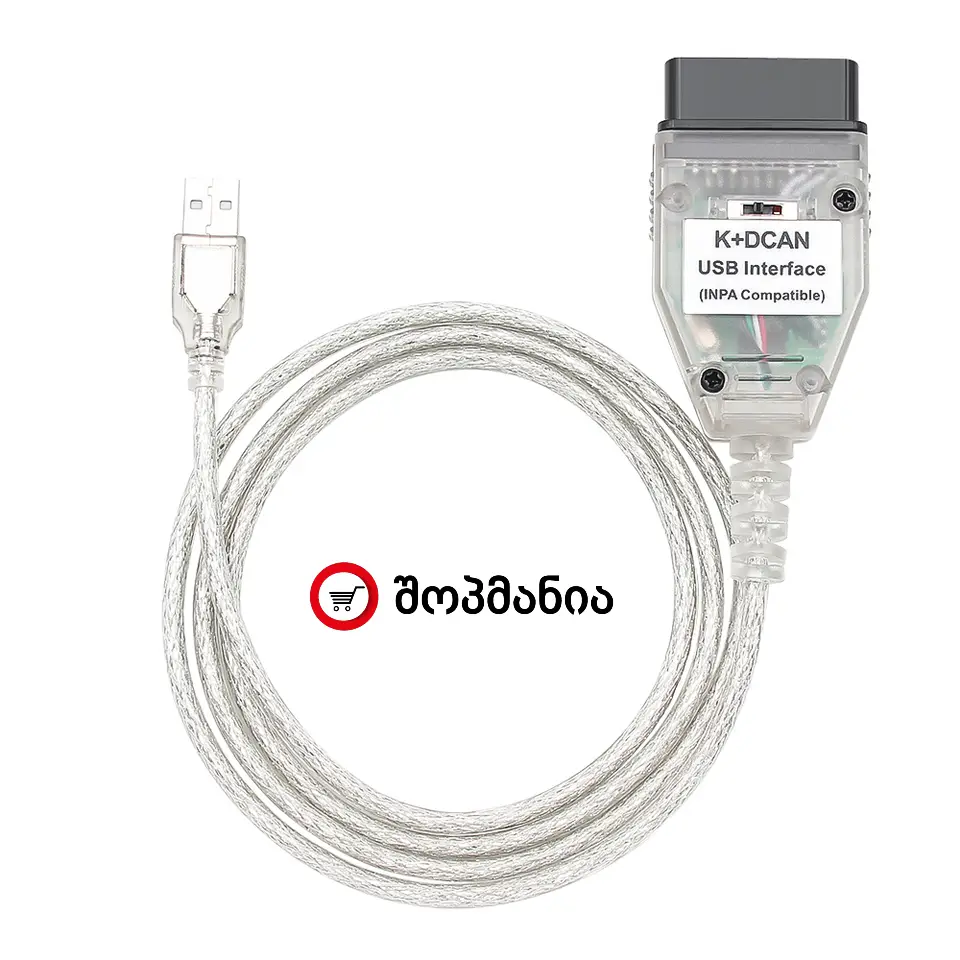
Diagnostic device on a USB cable (K+CAN / K+DCAN FTDI USB to OBD2)
 Delivery terms
 Tel: +995-577-20-30-06

Specifications:
K+CAN / K+DCAN FTDI USB diagnostic cable is designed for computer diagnostics of BMW vehicles. It provides not only OBD-level data, but also access on the control module (ECU) level, allowing you to perform full diagnostics, tests, service resets and, in some cases, coding (Coding).
✅ 1) Full diagnostics (BMW module / ECU level)
-
Read trouble codes (DTC)
-
Clear codes and verify repairs
-
View fault history / logs (if supported by the software)
-
Freeze Frame — parameters recorded at the moment a fault occurred (on some modules)
✅ 2) Live Data — real-time sensor data
-
Live parameters: RPM, temperatures, pressures, lambda, MAF/MAP, etc.
-
Graphing and data logging / saving (depends on software)
✅ 3) Activation tests (Actuator / Component Tests)
-
Cooling fan test
-
Fuel pump test
-
EGR / throttle / solenoid tests (depending on the model)
-
Injector test / balance check (if supported by the software)
-
ABS pump / valve tests (if supported by the module and software)
-
Switching relays / valves / mechanisms on in test mode
✅ 4) Service functions & resets
-
Oil Service Reset
-
CBS Reset (Condition Based Service), where supported
-
Battery-related service functions (on some models)
✅ 5) ECU / module identification & information
-
Module details: part numbers, versions, Coding Index, etc.
-
Read VIN and vehicle configuration (depends on software)
✅ 6) Coding — settings configuration/adjustment (often not possible with cheap OBD tools)
-
Enable/disable comfort functions (e.g., auto-lock, key-beep, light settings)
-
Lighting settings: DRL, Coming/Leaving Home, etc.
-
Central locking / door logic customization
-
Some warning/chime parameters (in some cases)
-
Window/mirror automation behavior (if supported by the module)
-
Configuration changes using dedicated software (e.g., NCS Expert)
Note: Coding is not chip tuning — it is changing factory options/functions configuration.
✅ 7) Adaptations / Calibration — where supported
-
Throttle adaptation (on some models)
-
View or reset transmission adaptations (depending on model)
-
Steering Angle Sensor basic calibration (on some vehicles)
-
Basic Settings for various sensors (depends on software)
⚠️ 8) Programming / Flashing (Firmware update) — with limitations
-
Some modules may be flashed/updated using special software (e.g., WinKFP / ISTA-P)
-
Requires stable power supply, correct files and experience
-
Not recommended for every generation/module — in some cases ICOM/ENET is better
✅ 9) Multi-module access (much wider than cheap OBD2 dongles)
-
Engine control (DME/DDE)
-
ABS/DSC
-
Airbag (SRS)
-
Comfort modules (FRM/GM, etc.)
-
Climate, instrument cluster, additional modules — depending on the vehicle